
Why Blog?
We’re living in a digital world; a world where everything is just a click away. In this digital world, along with being the consumer of digital culture, it’s equally important to admit our presence online, not in terms of social networks to scroll feeds and reply to messages instantly but to showcase our skills or pursue our hobbies. For quotes, excerpts or shorter write-ups, several apps (Yourquote, Quotes creator, Canva, Cleanslate) serve as a good platform whereas for longer posts, fewer options are available. However, it’s up to you to select one and be consistent with it. I would suggest you go with the two platforms which are considered the leaders i.e. WordPress and Blogger to start with. Both offer a strong online presence with the facility to connect to the readers to exchange creativity. Out of the two, WordPress appears more professional and has a range of customization options, including both free and paid services. On the contrary, Blogger is a service provided by Google and is easy to use. If you have a long-term goal and you want to have a full-fledged website, I would suggest that you go with WordPress. You can also check Wix, Weebly, Squarespace, CMS Hub etc. according to your needs and specifications.
How to Blog?
Step 1: Visit the URL wordpress. com
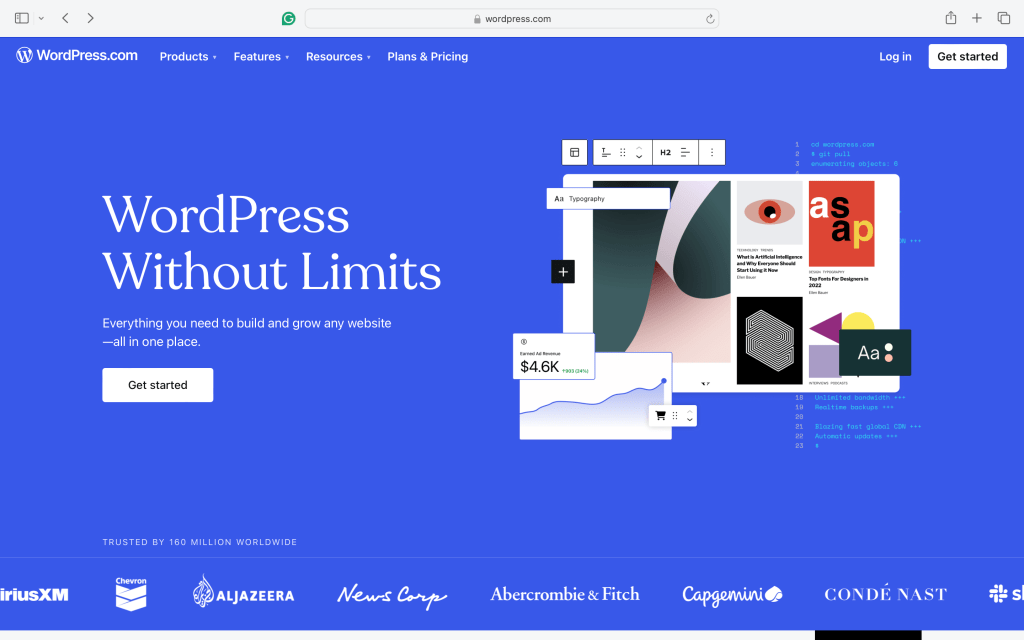
Click on ‘Get Started’ where you’ll see several ways to sign up.
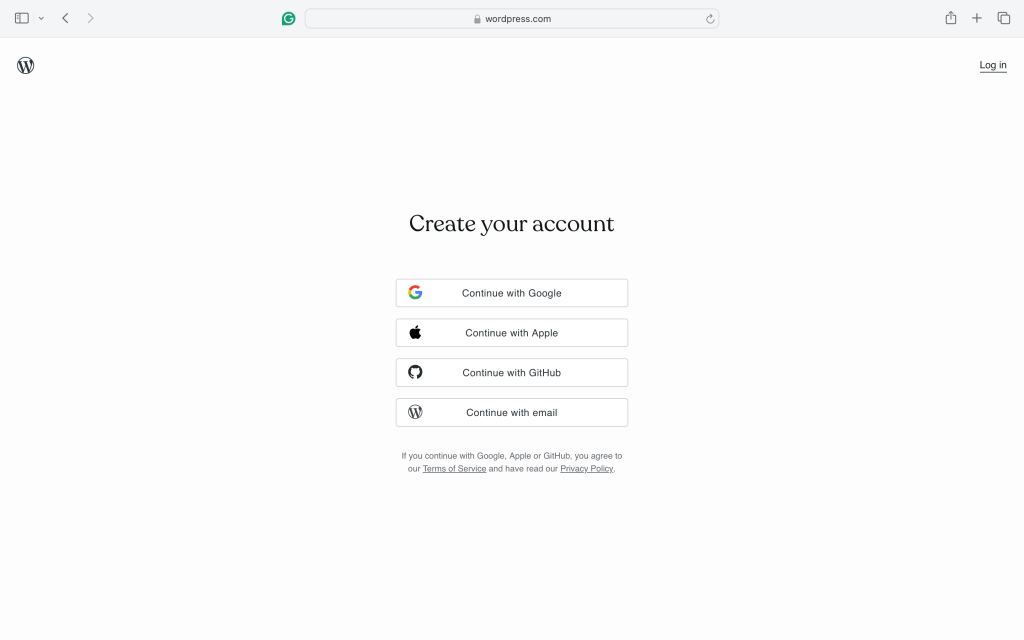
Select any of the options and then proceed to the next step. You need to verify the email address immediately after this step to open a range of options.
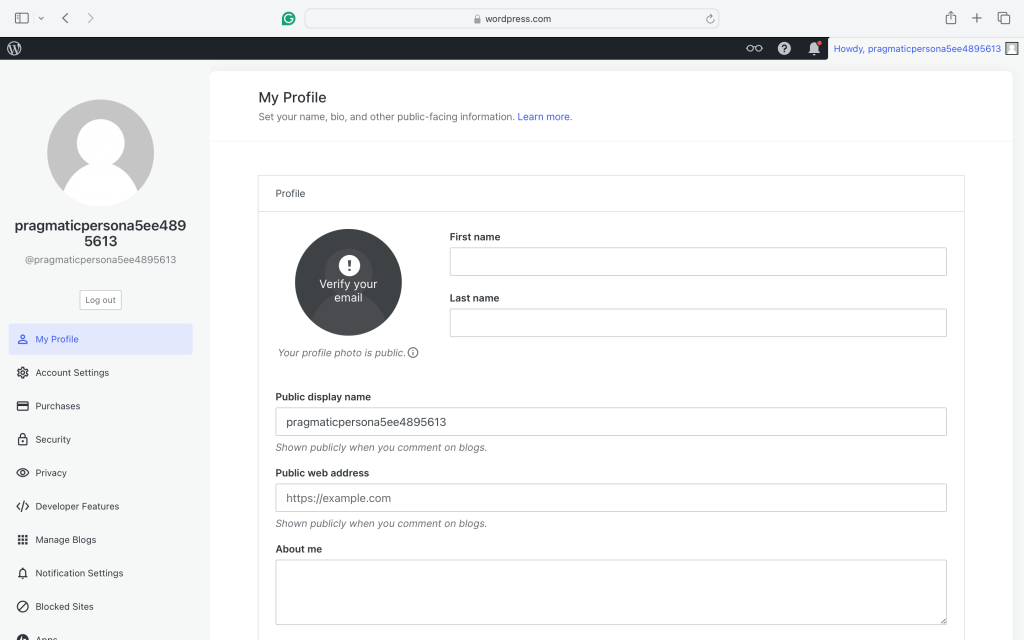
You’ll be directed to the ‘My Profile’ page where you can fill in your personal details, display your photo and name and customise your URL according to your preferences. I’ll suggest you start with the free version of the website which has the ‘WordPress’ word in the URL. Purchasing a premium (hosting+domain) removes the ‘WordPress’ to give it a professional look.
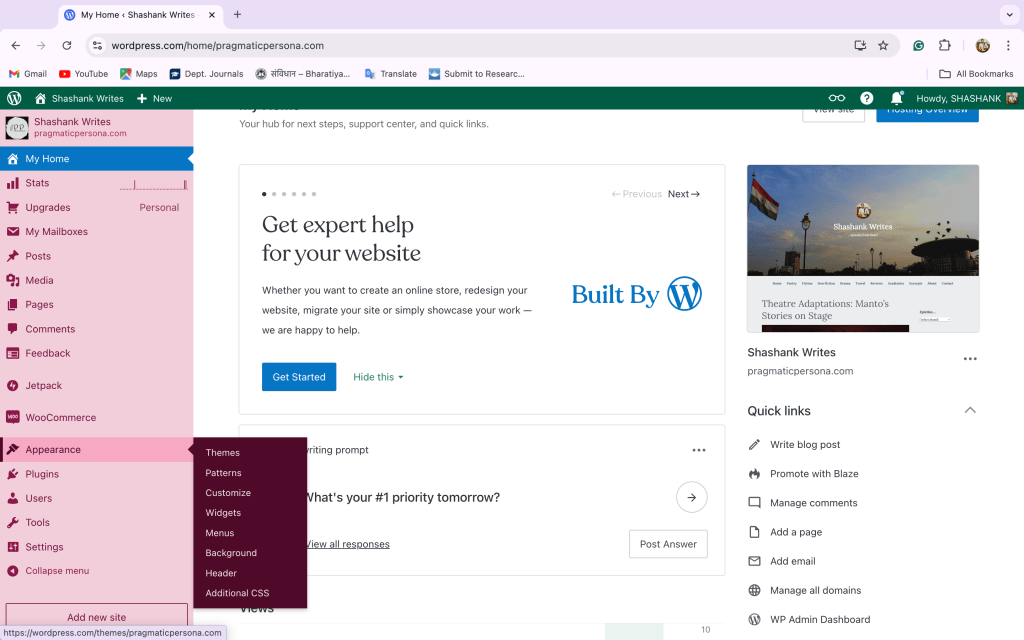
You can utilise the maximum features of the website from here. ‘Appearance’ is where you can customize as per your preference. It’s your website and it’s your duty to make it alluring. You can dedicate a good time here as it’s the first impression of your website and we all know that “First impression is the last impression”. Design it in such a way that people get curious and spend some time on your site. Choose a theme which suits your subject and start customising what should appear in the menu, sidebar and bottom. You’ll learn as you keep doing it. Go for trial and error. You can always come back to the previous one. Take assistance from YouTube and others, wherever necessary.
Note: Always customise on Web version, on your desktop or laptop. There is the option of viewing the tab and phone versions.
Woohoo! You’re all set to write and share your thoughts. Install JETPACK app on your phone/tablet for ease of access. Here, you can click on the ‘reader’ option to read, follow or comment on the posts of others.
For those who wish to begin with Blogger;

‘Sign in’ on any of the browsers with your Gmail account. Click on the ‘apps’ section of your profile (where you find Google Drive, Play Store, photos etc) and scroll below to locate the ‘blogger’ option.
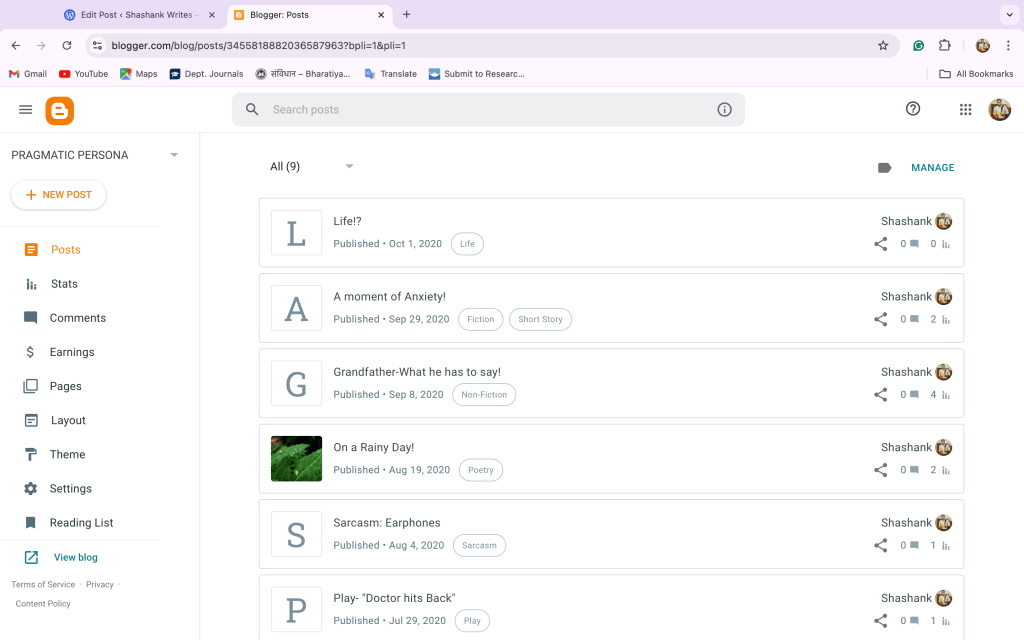
Here you’ll get the limited options to customise but you can always make it simple and attractive. Work on it in the same way as you did in WordPress. Enhance the outlook and UI and you’re good to go. You can visit the ‘View Blog’ option to check your website outlook. Write your first post, share it with your friends and seek their opinions.
Tips for a successful blogging:
- Decide an eye-catching title and subtitle/tagline that defines you and your work in the best way. It can be your pen name or your website address. Keep it simple and attractive so that it’s easy for people to remember it.
- Write regularly and share on your social networks. They are your first point of contact. At this stage, don’t worry about views and visitors. Link your social media with your blog and vice-versa.
- Decide your area about which you wanna blog or what excites you. It can be anything from travel, food, poems, stories, coding, technical issues, new products, services and so on and so forth. Sticking to one genre can restrict the flow of content. Hence, decide 2-3 subjects which are you good at.
- Recognise your target audience. It’ll help in choosing your community.
- Always look for innovation and creativity. A good way is to cater to the audience’s needs.
- Keep an eye on Search Engine Optimisation (SEO). Click here for such tips.
- Don’t be hungry for making money. Focus on the content first.
- You can also purchase a domain name + hosting service separately but not at the initial stage. It takes a lot to manage them.
- Keep track of your progress. Don’t look for perfection at the initial stage. It’ll come gradually.
- Also, don’t be hesitant to seek help, and hyperlink other ideas. It’s going to help you a lot.
You can always attach the address of your blog on your social media account or e-portfolio/CV to have an edge over others. Last but not least, keep yourself motivated toward blogging. Find some time from your busy schedule at least once a week to update your website.
Hope it helps. Let me know your queries and your recent blog post in the comment box.
©Shashank
 Pragmatic's Personas